School Leaders
Protect instructional time with software staff will actually use.
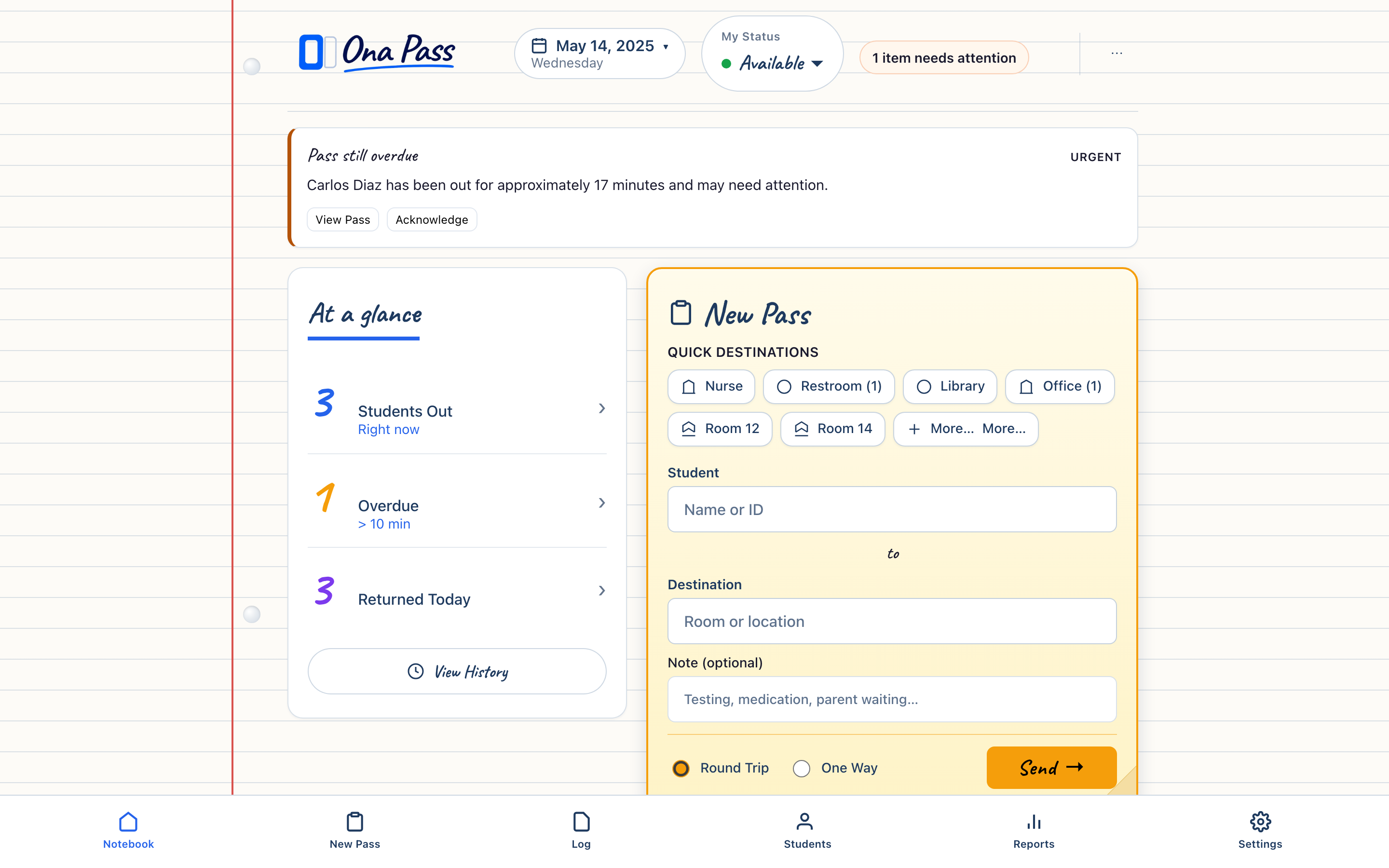
Hall passes interrupt teaching dozens of times a day. Ona Pass keeps those moments short — about five seconds to create a pass — on a page that respects how staff already work.
Instructional time is the metric that matters
Every pass tool competes with teaching moments. Ona Pass is designed so staff never leave the page they already have open — no wizards, no nested menus, no separate reporting layer to learn.
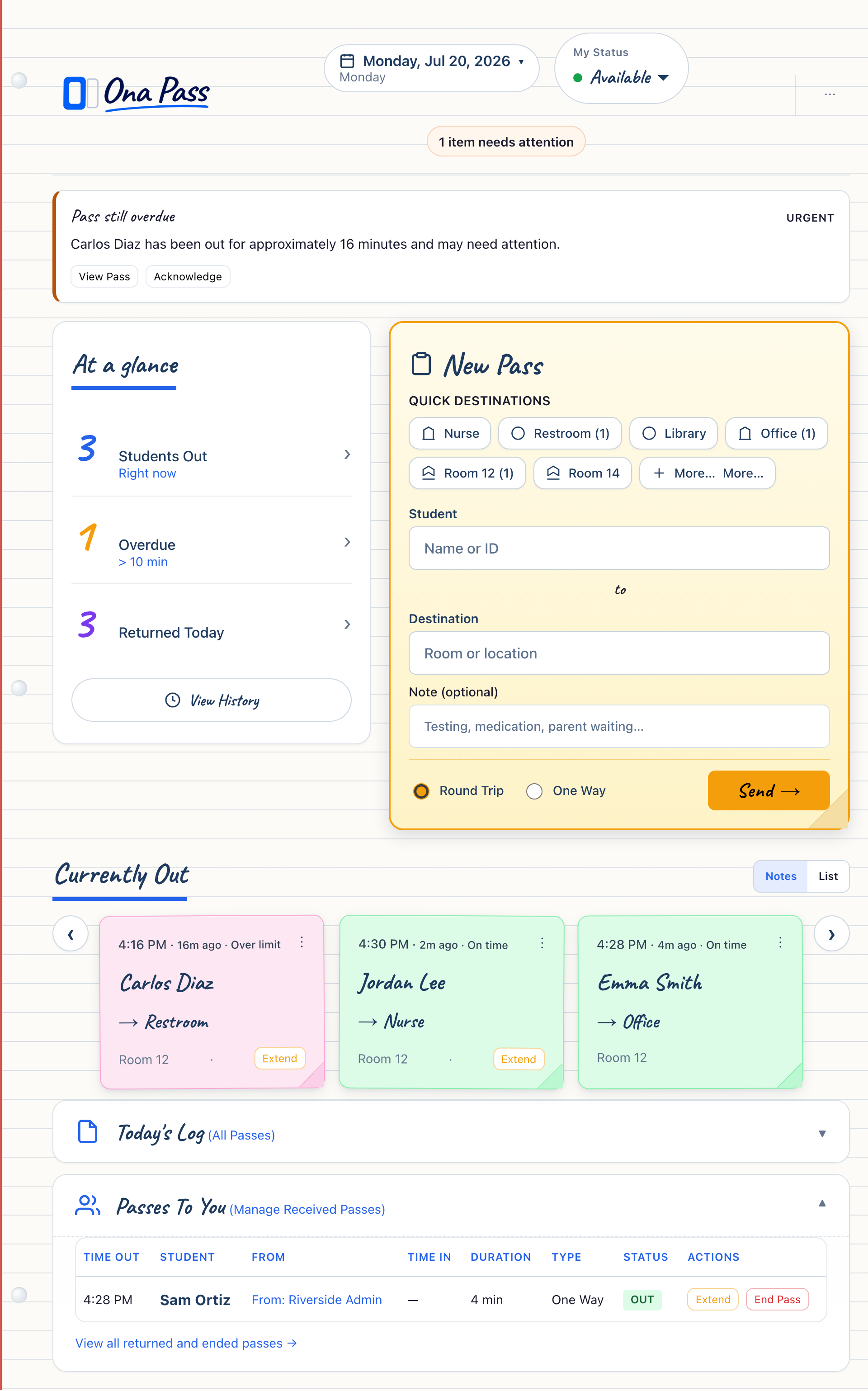
Teachers create a pass in about five seconds: choose a student, tap a destination, send. Currently Out shows who is out right now as sticky notes they can scan between sentences. When a student arrives from another room, Passes To You is one tap away.
The Staff Notebook is one calm page — not a dashboard that asks staff to reorganize their day around software. That focus is intentional. When the product does one job well, instructional time stays where it belongs.
Administrators see live campus movement on the Campus Clipboard without asking teachers to file reports. Oversight and teaching stay on separate surfaces, each designed for its role.
Staff adoption starts with recognition
Software that looks like the objects staff already use — paper, sticky notes, a hall pass sheet — earns trust faster than a new category of tool to memorize.
Most staff learn the primary workflow in about four minutes: create a pass, see who is out, expand Passes To You when someone arrives. The one-minute walkthrough covers the full cycle for staff who prefer to watch once before trying.
Adoption during a pilot is observable: Are passes being created? Is Currently Out populated during class blocks? Are inbound passes being actioned? These are practical signals — not survey scores — that tell you whether the workflow fits your building.
Ona Pass does not require a district-wide rollout to evaluate. A small team can run real passes for two to four weeks and give you an honest answer about fit.
Evaluate through a pilot — not a purchase decision on day one
Ona Pass pilots start with ten staff, trial keys, and a defined evaluation window — typically two to four weeks. Real passes, real feedback, no whole-school commitment.
A pilot gives you evidence: Does the five-second workflow hold during a normal school day? Do administrators gain useful campus awareness? Does staff feedback suggest the tool reduces friction rather than adding it?
Your administrator coordinates setup — roster verification, staff invitations, first pass. IT reviews browser access and security documentation. Staff receive a quick-start path that takes about four minutes.
We describe current capability honestly throughout the evaluation. Preview and pilot environments are clearly labeled; planned features are not presented as shipped. That transparency supports better leadership decisions.
View the Pilot Program For Administrators For Teachers & Staff