Pilot Program
Evaluate with ten staff — not a district-wide rollout.
Ona Pass pilots give your team real passes, trial keys, and a defined evaluation window — typically two to four weeks — so you can decide whether the workflow fits before any wider commitment.
What is a Pilot Pre-Flight?
A Pilot Pre-Flight is a collaborative planning conversation before a pilot begins.
Together, we’ll learn about your school’s goals, review your current student movement workflow, answer questions, identify the right participants, and determine whether a pilot is the right next step.
- Goals What your school hopes to learn or improve during the evaluation.
- Participants Who would create and receive passes—typically about ten staff plus an administrator.
- Current workflow How passes work today and where friction shows up.
- Preparation Browser access, roster verification, and timing that fits your calendar.
- Success measures How you will know the pilot worked—before any wider rollout conversation.
Every other reference to Pilot Pre-Flight throughout the marketing site points back to this process.
What is included
A pilot is a structured evaluation — not a silent production deployment.
Trial keys
Access codes for up to ten staff and your administrator. Keys activate the pilot environment with scoped onboarding support.
Administrator setup
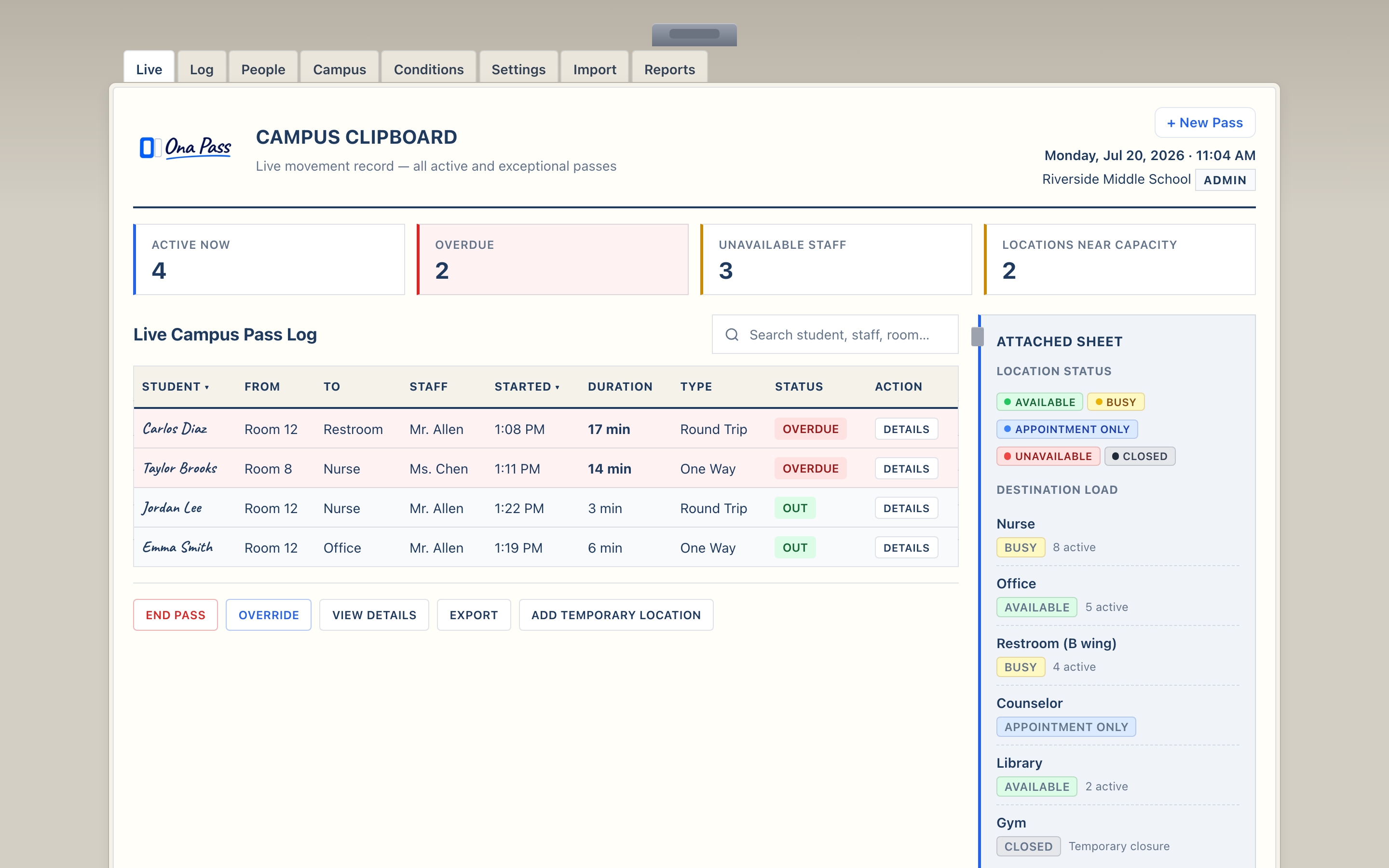
Typical setup: about 20–30 minutes. Review the Campus Clipboard, verify roster data, configure locations, and invite participating staff.
Staff quick start
A four-minute path to first pass: open the notebook, create a pass, check Currently Out, expand Passes To You when needed.
Feedback channel
Structured feedback form so your team can report what worked, what did not, and what is still missing.
Typical evaluation timeline
Most pilots run two to four weeks — enough for staff to use Ona Pass during normal class blocks and for administrators to review campus activity.
Week 1 — Setup and first passes. Administrator reviews the clipboard, verifies roster, invites staff. Teachers create their first passes and confirm the five-second workflow during real class time.
Weeks 2–3 — Daily use. Staff integrate Ona Pass into normal pass routines. Administrators observe Currently Out at natural checkpoints. IT confirms browser access meets school requirements.
Week 3–4 — Evaluation. Team submits feedback. Leadership reviews adoption signals: Are passes being created? Is campus awareness useful? Does the workflow reduce friction?
Timeline flexes with your calendar — block schedules, testing weeks, and breaks are normal. The goal is enough real use to make an informed decision, not a rushed rollout.
Onboarding path
After you receive trial keys, start at the pilot welcome page — it links to administrator and teacher quick-start guides. Review Questions Schools Ask or revisit the Pilot Pre-Flight checklist if helpful.
- Receive trial keys from Ona Pass
- Open Pilot Welcome and enter your trial code
- Administrators follow the Administrator Quick Start
- Staff follow the Teacher Quick Start
- Submit feedback via the Pilot Feedback Form
Ready to start?
Tell us about your school — role, team size, and timeline. We will follow up with trial keys and onboarding details.